
Posted on Jul 23, 2026 · Updated Jul 23, 2026 · 14 min read
Cloud Storage Costs in 2026: Full US Pricing Guide
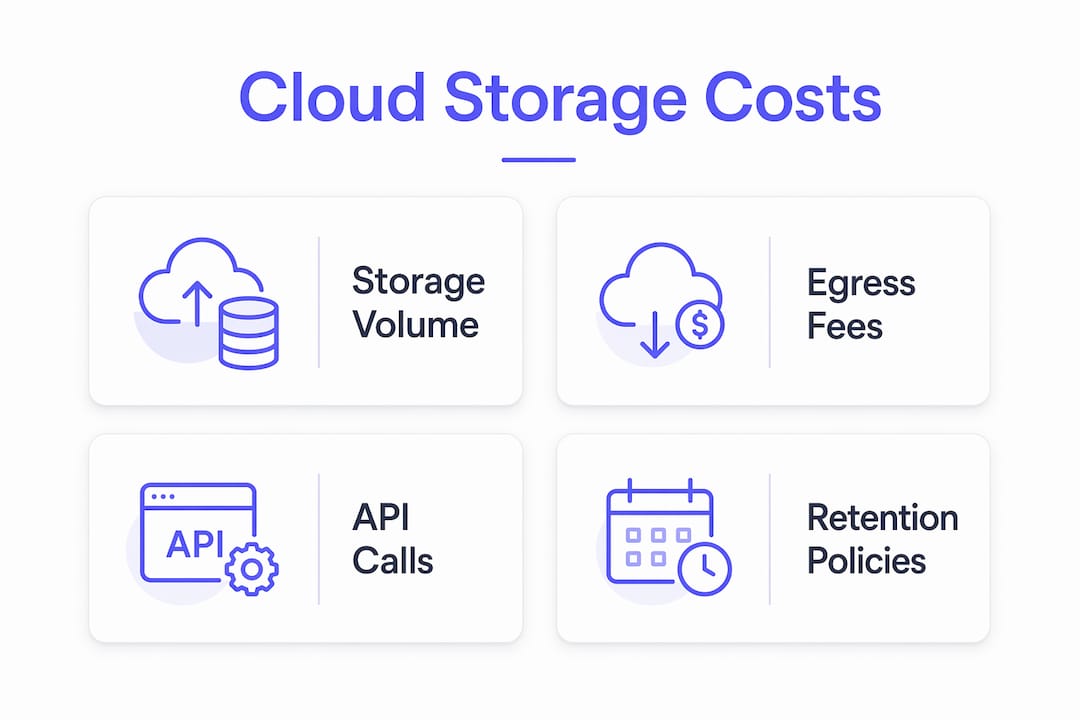
Cloud storage pricing is not a single number. Every provider bills across at least four distinct cost dimensions: storage volume, egress (data transferred out to the internet), API operation requests, and retention policy minimums. Focusing only on the per-GB rate is the most common and expensive mistake buyers make.
The critical takeaway: at 100TB with heavy egress, total costs across major providers differ by over 7x once egress and API fees are factored in. The headline storage rate is rarely the deciding variable.
TL;DR
The per-GB storage rate is rarely what determines your bill — egress, API operation requests, and minimum retention penalties usually drive the total. At 100TB with heavy egress, total costs across major providers can differ by more than 7x once those fees are factored in.
Table of contents

How the major providers structure their fees
Understanding the fee architecture behind each provider is what separates a well-modeled budget from a surprise invoice. Cloud storage billing typically breaks into four layers, and each one compounds the others.
| Provider | Hot Storage ($/GB/mo) | Egress ($/GB) | PUT per 1,000 | GET per 1,000 | Free Tier |
|---|---|---|---|---|---|
| Amazon S3 | $0.023 | $0.09 | $0.005 | $0.0004 | 5 GB (12 mo) |
| Google Cloud Storage | $0.023 | $0.12 | $0.05 | $0.004 | 15 GB (always) |
| Azure Blob Storage | — | $0.087 | $0.05 | $0.004 | 5 GB (12 mo) |
| Backblaze B2 | $0.00699 | $0.01* | Free | Free | 10 GB (always) |
| Wasabi | $0.00699 | $0.00 | $0.00 | $0.00 | None |
| Apple iCloud+ | N/A (consumer) | N/A | N/A | N/A | 5 GB (always) |
| Microsoft OneDrive | N/A (consumer) | N/A | N/A | N/A | 5 GB (always) |
*Backblaze B2 offers free egress up to 3x monthly storage volume; overages bill at $0.01/GB. Figures reflect standard or "hot" tier storage, the baseline most workloads start on.

For consumer-oriented services like Apple iCloud+ and Microsoft OneDrive, pricing follows a flat subscription model rather than per-GB metered billing. Both offer 5 GB free; paid tiers are covered in the plan comparison section below.

Storage tiers: hot, cool, and archive
Every major object storage provider offers multiple tiers differentiated by access frequency and cost. Hot (or Standard) storage is optimized for frequent access and carries the highest per-GB rate. Cool or Infrequent Access tiers cut storage costs significantly, but impose retrieval fees and minimum retention periods. Archive tiers go further: moving data to cold storage can cut per-GB costs by 75–95%, but retrieval fees and minimum storage durations apply.
AWS S3 alone offers eight distinct storage classes, from S3 Standard at $0.023/GB down to S3 Glacier Deep Archive at $0.00099/GB. Azure Blob's Cool tier carries a 30-day minimum retention period; its Archive tier extends that to 180 days. GCP Cloud Storage's Archive tier sits at $0.0012/GB. The per-GB savings are real, but the retrieval and minimum-duration costs must be modeled against actual access patterns before committing data to cold tiers.
Egress fees: the line item that dominates enterprise bills
Egress charges apply every time data leaves a provider's network to the public internet, to another region, or to a different cloud. AWS charges $0.09/GB for standard internet egress; GCP charges $0.12/GB; Azure charges $0.087/GB. These rates sound small per gigabyte, but at scale they compound fast. For workloads with heavy outbound data transfer, egress to the internet often constitutes the largest single line item on the bill, sometimes exceeding the storage charge itself by a wide margin.
Providers like Cloudflare R2 ($0.015/GB storage, $0.00 egress) and Wasabi ($0.00699/GB storage, $0.00 egress) have built their entire value proposition around eliminating egress fees. For egress-heavy workloads, a provider with slightly higher storage rates but zero egress can produce a substantially lower total cost of ownership. For more on how egress pricing works across providers, see our cloud egress costs guide.
API operation costs
Every PUT, GET, LIST, COPY, or DELETE request against a storage bucket carries a per-request fee at the major hyperscalers. AWS S3 charges $0.005 per 1,000 PUT requests and $0.0004 per 1,000 GET requests. GCP charges $0.05 per 10,000 Class A operations and $0.004 per 10,000 Class B operations. These costs scale directly with application request volume. A microservices architecture making millions of small object reads per day will accumulate meaningful API costs that a simple per-GB estimate completely misses.
Backblaze B2 and Wasabi both offer free API calls on their standard pay-as-you-go plans, which is a meaningful advantage for high-request workloads.
Minimum retention policies and early deletion penalties
This is the pricing trap most buyers encounter after the fact. AWS S3 Glacier Flexible Retrieval and Glacier Deep Archive impose 90-day and 180-day minimum storage durations, respectively. Azure Blob's Cool tier enforces a 30-day minimum. Wasabi's flat-rate plan carries a 90-day minimum storage retention policy: delete data after one day and you still pay for 90 days. For dynamic workloads, caches, or data pipelines with frequent object churn, these minimums can raise effective per-GB costs by 30–200% above the advertised rate.
The comparison table below maps these fee structures across providers for direct reference.
| Provider | Cool/IA Storage ($/GB/mo) | Archive ($/GB/mo) | Egress ($/GB) | Minimum Retention | API Calls |
|---|---|---|---|---|---|
| AWS S3 | — | $0.004 (Glacier) | $0.09 | 30–180 days (cold tiers) | Paid |
| GCP Cloud Storage | — | $0.004 (Coldline) | $0.12 | 30–365 days (cold tiers) | Paid |
| Azure Blob | — | $0.0012 | $0.087 | 30–180 days (cold tiers) | Paid |
| Backblaze B2 | N/A (always-hot) | N/A | $0.01 (above 3x) | None | Free |
| Wasabi | N/A (always-hot) | N/A | $0.00 | 90 days (all data) | Free |
| Cloudflare R2 | N/A (single tier) | N/A | $0.00 | None | Paid (Class A) |
Comparing cloud storage plans by capacity and price
For individuals and small teams, the consumer and prosumer plans from Apple, Microsoft, and Google are the most relevant entry points. For developers and businesses managing object storage at scale, the hyperscaler and alternative object storage providers dominate. The two categories operate on fundamentally different pricing models.
Consumer and prosumer plans
Apple iCloud+ offers 5 GB free, with paid tiers at 50 GB ($0.99/mo), 200 GB ($2.99/mo), and 2 TB ($9.99/mo). The service integrates tightly with iOS, macOS, and iCloud Drive, making it the default choice for Apple ecosystem users. There are no egress fees or API charges; pricing is flat and predictable.
Microsoft OneDrive provides 5 GB free. The Microsoft 365 Basic plan adds 100 GB of storage plus mailbox storage at $1.99/month (or a low monthly price/year). Microsoft 365 Personal delivers 1 TB of storage at $9.99/month (an annual plan with a moderate price/year), while Microsoft 365 Family covers up to 6 users at 1 TB each for $12.99/month (an annual plan with a higher price/year). OneDrive's value proposition is its deep integration with Microsoft 365 apps; the storage is effectively bundled with the productivity suite.
Google One starts with 15 GB free across Google Drive, Gmail, and Google Photos. The Basic plan (100 GB) runs $1.99/month. The Google AI Plus plan (2 TB) is $9.99/month, and Google AI Pro (5 TB) is a low price/month. Google's free tier is the most generous of the three consumer platforms.
| Provider | Free Tier | Entry Paid Plan | 1 TB Plan | 2 TB Plan |
|---|---|---|---|---|
| Apple iCloud+ | 5 GB | $0.99/mo (50 GB) | $9.99/mo | $9.99/mo |
| Microsoft OneDrive | 5 GB | $1.99/mo (100 GB) | $9.99/mo | N/A (max 1 TB/user) |
| Google One | 15 GB | $1.99/mo (100 GB) | N/A | $9.99/mo |
Object storage plans for developers and businesses
For teams managing application data, backups, or media assets at scale, the per-GB metered model applies. Key differentiators beyond the storage rate include:
- Egress model: AWS, GCP, and Azure all charge per-GB egress; Backblaze B2, Wasabi, and Cloudflare R2 offer zero or near-zero egress fees.
- API pricing: Hyperscalers charge per request; Backblaze B2 and Wasabi include API calls at no additional cost on standard plans.
- Ecosystem integration: AWS S3 integrates natively with EC2, Lambda, CloudFront, and the full AWS service catalog. GCP Cloud Storage connects directly to BigQuery, Dataflow, and Vertex AI. Azure Blob integrates with Azure Data Factory, Azure CDN, and the Microsoft 365 ecosystem. Switching providers carries real migration friction and potential workflow disruption, which users often underestimate when comparing raw storage rates.
- Pricing transparency: Wasabi and Backblaze B2 publish single flat rates with no hidden fees. AWS, GCP, and Azure pricing pages list 5–8 storage tiers with separate retrieval, transition, and regional multiplier charges that require careful aggregation to produce a real cost estimate.
Pro tip
For workloads already running on AWS, GCP, or Azure, the egress cost of migrating data to a cheaper standalone storage provider often offsets months of savings. Model the migration cost before switching.
What actually drives your final cloud storage bill
The headline per-GB rate is the starting point, not the answer. Several workload-specific variables determine what you actually pay each month, and each one can shift the final number substantially.
Egress volume is the most consequential variable for most production workloads. A media streaming application, a CDN origin, or a SaaS product serving files to end users can generate egress volumes that dwarf the underlying storage cost. AWS charges $0.09/GB for egress; at 50 TB of monthly outbound transfer, that is $4,608 in egress fees alone, against a storage cost of roughly $1,177 for 50 TB at S3 Standard rates. Understanding your workload's data output pattern is the single most important input to an accurate cost forecast.
API call volume and request type compound quickly in high-throughput applications. A data pipeline running millions of PUT operations per day, or a web application making frequent small GET requests, will accumulate API costs that a simple storage estimate ignores entirely. AWS S3 PUT requests at $0.005 per 1,000 mean that 10 million PUTs per month adds $50 to the bill before a single byte of storage is counted.
Data access frequency and tier placement determine whether cold-tier savings are real or illusory. Moving infrequently accessed data to S3 Standard-IA or Azure Cool cuts storage costs, but retrieval fees and minimum retention periods apply. If data classified as "cold" is actually accessed more than once per month, the retrieval charges can exceed the storage savings. Matching access patterns to storage tiers requires measurement, not assumption.
Retention policy minimums hit hardest in dynamic workloads. AWS S3 Glacier Flexible Retrieval's 90-day minimum means a data pipeline that writes and deletes objects daily pays for 90 days of storage per object regardless of actual retention. Wasabi's 90-day minimum applies across all data, not just archive tiers. For cache layers or ephemeral processing pipelines, these policies can make otherwise cheap storage options significantly more expensive in practice.
Regional pricing variability adds another layer. Prices listed for US East (N. Virginia) are typically the baseline; other regions, including US West, EU, and Asia Pacific, carry higher rates of 10–30% above the US list price. Deploying storage in a region that does not match your primary compute region also adds cross-region data transfer charges on top of standard egress.
Pro tip
Before committing to a cold storage tier, pull 30 days of access logs and calculate your actual retrieval frequency. If objects are accessed more than once per month on average, Standard-IA or Cool tiers often cost more than Standard once retrieval fees are included.
How to estimate and optimize your cloud storage costs
Accurate cost estimation requires modeling all four billing dimensions together: storage volume by tier, egress volume, API call frequency, and retention duration. Doing this manually across multiple providers is time-consuming and error-prone. The SpendArk Cloud Cost Calculator addresses this directly, offering side-by-side cost comparisons for AWS, Azure, and GCP with workload-adjusted inputs.
Using SpendArk to model real TCO
SpendArk's calculator accepts inputs for storage volume, egress traffic, and API operation counts, then produces a per-provider cost breakdown that surfaces the line items most pricing pages bury. Pre-configured architecture templates cover common workload patterns including SaaS applications, REST APIs, ecommerce backends, data pipelines, and serverless architectures. For teams with existing AWS infrastructure, the bill-based estimation path accepts current AWS spend as the input and models equivalent costs on Azure and GCP.
The tool's comparative output is particularly useful for egress-heavy workloads, where a provider with higher storage rates but zero egress fees can produce a lower total cost than a cheaper-storage provider with standard egress billing. This cross-dimensional analysis is what single-vendor calculators cannot provide.
Cost optimization strategies that move the needle
- Tier data by access frequency. Audit object access patterns using S3 Storage Lens, GCP's Storage Intelligence, or Azure Monitor, then apply lifecycle policies to move infrequently accessed objects to IA or Nearline tiers automatically.
- Reduce egress at the architecture level. Serve static assets through a CDN (CloudFront, Fastly, or Cloudflare) rather than directly from origin storage. CDN egress rates are typically lower than direct S3 or GCS egress, and Backblaze B2 offers unlimited free egress through CDN partners including Cloudflare, Fastly, and bunny.net.
- Audit API call patterns. Batch small object operations where possible. Replacing thousands of individual PUT requests with multipart uploads or batch operations reduces both API costs and request latency.
- Evaluate zero-egress providers for egress-heavy workloads. For workloads where egress dominates the bill, Cloudflare R2 ($0.015/GB storage, $0.00 egress) or Wasabi ($0.00699/GB, $0.00 egress, 90-day minimum) can reduce total cost of ownership substantially compared to hyperscaler pricing, provided the retention policy constraints fit the workload.
- Use reserved capacity for predictable workloads. Wasabi's reserved capacity plans and Backblaze B2 Reserve (starting at 20 TB/year) offer lower effective rates for organizations with stable, predictable storage volumes.
- Model before migrating. Cross-provider data migration incurs egress fees from the source provider. A move from AWS S3 to Backblaze B2 at 50 TB generates roughly $4,500 in AWS egress charges at $0.09/GB. That cost must be weighed against projected monthly savings.
Pro tip
Use SpendArk's bill-based estimation path if you have an existing AWS bill. Input your current spend and the calculator maps equivalent workloads to Azure and GCP pricing, surfacing whether a provider switch would produce net savings after accounting for migration costs.
How region and data center location affect your storage bill
Regional pricing is a variable that many cost estimates treat as a footnote, but it can shift your actual bill by a meaningful margin. AWS, GCP, and Azure all publish US East (N. Virginia or Iowa) as their baseline US pricing. Deploying storage in US West, EU West, or Asia Pacific regions carries higher per-GB storage rates, higher egress rates, and in some cases different API pricing tiers.
AWS S3 pricing in the US East (N. Virginia) region represents the lowest available US rate. The same storage class in AP Southeast (Sydney) or EU (Frankfurt) costs more per GB. Cross-region replication, which many organizations use for disaster recovery or latency optimization, adds both storage costs (you pay for the replicated copy) and data transfer charges for the replication traffic itself.
Azure's regional pricing follows a similar pattern. The Cool tier's 30-day minimum retention applies globally, but the per-GB rate in West Europe or Southeast Asia is higher than in East US. GCP's Nearline and Coldline tiers carry region-specific retrieval fees that differ between single-region, dual-region, and multi-region storage configurations.
For organizations with compliance requirements that mandate data residency in specific geographic regions, the cost premium for non-US or non-primary regions is non-negotiable. For those with flexibility, deploying storage in the lowest-cost region that meets latency requirements for the primary compute workload is a straightforward optimization. The key discipline is to model costs using the specific deployment region's rates, not the US baseline, to avoid systematically underestimating cloud storage budgets.
Key takeaways
Cloud storage costs are determined by storage volume, egress fees, API call volume, and retention policy minimums together, not by the per-GB rate alone.
| Point | Details |
|---|---|
| Egress dominates at scale | At 100TB with heavy egress, total costs across major providers differ by over 7x due to egress and API fees. |
| Cold tiers carry hidden costs | Moving data to cold storage can cut per-GB costs by 75–95%, but retrieval fees and minimum retention periods apply. |
| Retention minimums trap dynamic workloads | Wasabi's 90-day minimum and AWS Glacier's 90–180-day minimums can raise effective costs by 30–200% for frequently deleted data. |
| Regional rates add 10–30% above US baseline | Deploying storage outside the primary US region incurs higher per-GB and egress rates; model with actual deployment region pricing. |
| Zero-egress providers change the TCO equation | For egress-heavy workloads, Cloudflare R2 and Wasabi's zero-egress model can produce lower total cost than hyperscalers despite higher storage rates. |
The case for modeling costs before you commit
Most cloud storage decisions get made on the basis of the per-GB rate and the provider's brand recognition. That approach works well enough at small scale, where the absolute dollar differences are minor. At production scale, it is a reliable path to budget overruns.
The providers that look cheapest on a pricing page are not always the cheapest for a given workload. AWS S3 Standard at $0.023/GB looks more expensive than Wasabi at $0.00699/GB, and it is, for pure storage. But Wasabi's 90-day minimum retention policy means a data pipeline that churns objects frequently will pay for storage it no longer holds. AWS's egress charges at $0.09/GB look punishing compared to Cloudflare R2's zero egress, but R2's single-tier model and lack of cold storage options make it a poor fit for workloads with mixed access patterns.
The real question is not "which provider is cheapest?" but "which provider is cheapest for this specific workload?" That question requires modeling storage volume by tier, egress volume, API call frequency, and retention duration together. It also requires accounting for the ecosystem integration costs that raw pricing comparisons ignore entirely. A team running compute on AWS pays cross-provider egress to move data to a standalone storage provider; a team on GCP loses native BigQuery integration if they move data off GCS. These are real costs that show up in engineering time and operational complexity, not on a pricing page.
The providers that publish the most transparent pricing, Backblaze B2 and Wasabi, are also the ones with the fewest tiers and the simplest billing models. That simplicity is itself a form of cost control: fewer tiers mean fewer opportunities for misclassification, and flat-rate billing means the estimate you build before deployment matches the invoice you receive after.
For teams that want to run this analysis without building a spreadsheet from scratch, SpendArk's cloud cost calculator provides the cross-provider, workload-adjusted modeling that single-vendor tools cannot. The architecture templates cover the most common production patterns, and the bill-based path handles the case where you already have an AWS bill and want to know what the equivalent workload would cost on Azure or GCP.
Recommended reading: AWS Pricing Changes 2026: Every Update to Your Bill, Cloud Cost Calculator — Compare AWS, Azure & GCP Pricing, Cloud Cost Blog and Cloud Cost Benchmark Report 2026.
Frequently asked questions
What actually determines a cloud storage bill?
Cloud storage bills are determined by four dimensions together: storage volume by tier, egress (data transferred out), API operation requests (PUT, GET, LIST, DELETE), and minimum retention policies. Focusing only on the per-GB storage rate is the most common and expensive mistake buyers make — at 100TB with heavy egress, total costs across major providers can differ by more than 7x.
Which cloud storage provider is cheapest?
It depends on the workload. AWS S3 Standard costs $0.023/GB but charges $0.09/GB egress. Wasabi charges $0.00699/GB storage with zero egress but enforces a 90-day minimum retention. Cloudflare R2 also charges zero egress. For egress-heavy workloads, zero-egress providers usually win on total cost even with a higher per-GB storage rate.
How much can cold storage tiers actually save?
Moving data to archive or cold tiers can cut per-GB storage costs by 75–95%. However, retrieval fees and minimum retention periods (30–180 days depending on provider and tier) apply. If archived data is accessed more than once per month, retrieval charges can exceed what you saved on storage, so tier placement should be based on measured access patterns, not assumptions.
How do minimum retention policies affect cost?
Minimum retention policies charge you for storage even after you delete an object. AWS S3 Glacier Flexible Retrieval enforces a 90-day minimum and Deep Archive a 180-day minimum. Wasabi applies a 90-day minimum across all data, not just archive tiers. For workloads with frequent object churn — caches, pipelines, temp data — these minimums can raise effective per-GB costs by 30–200% above the advertised rate.
Estimate your cloud costs — for free
Compare AWS, Azure, and GCP pricing side by side with our free calculator, and dig into the guides to learn how to cut cloud waste. No sign-up required.